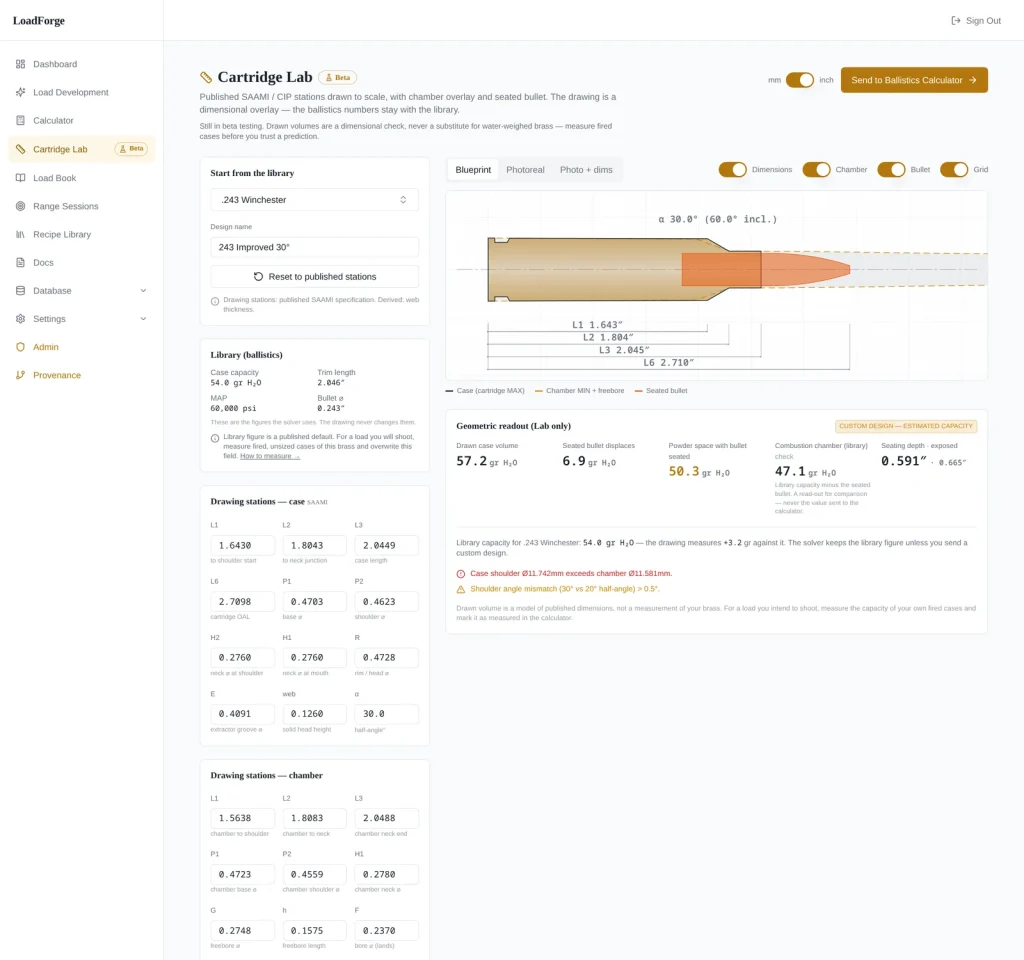
Before you order a reamer, fireform a hundred cases, or book range time, you want to know what your cartridge idea does to the case. Cartridge Lab is the module inside LoadForge built for that job. Cartridge Lab lets you start from a published SAAMI or CIP case, edit the parent geometry toward a wildcat concept, and see an estimated change in capacity before any brass or steel gets committed.
The tool models geometry. It does not measure your brass, predict safe charges, or certify a chamber. Those limits define how to use it well.
LoadDevelopment.com has covered reloading and load development since AJ entered the shooting industry in 2016. Today 4,000+ shooters get his tips by email. You will learn how to read the model’s output and where measured data has to take over.
What Can You Examine in Cartridge Lab?
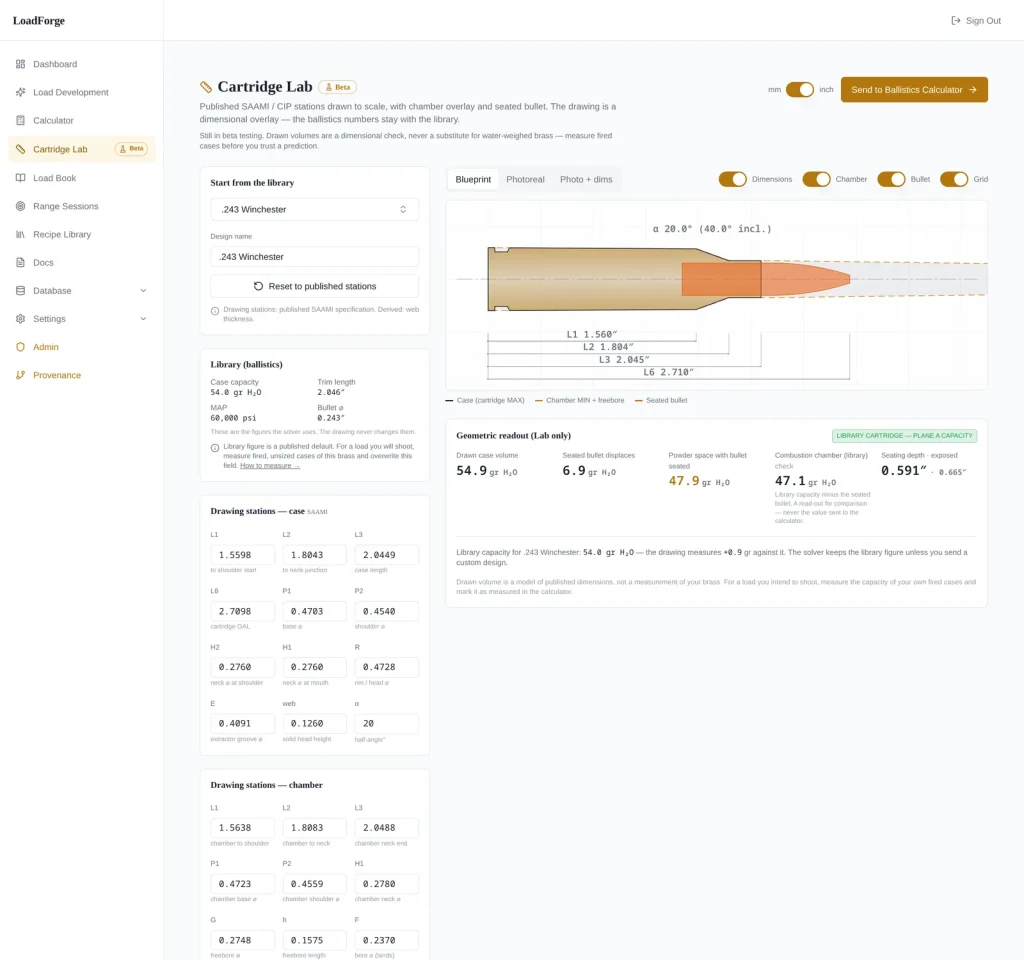
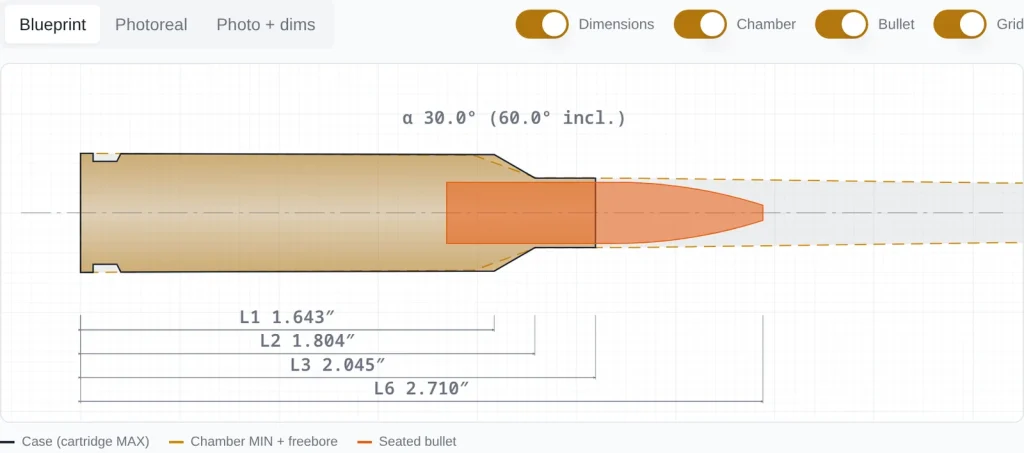
Cartridge Lab lets you inspect a cartridge’s full profile: body taper, shoulder angle, neck length, and overall length, measured against a known reference. You begin with a standardized case and look at the result in three coordinated views.
How Do Published SAAMI and CIP Cases Serve as Starting Points?
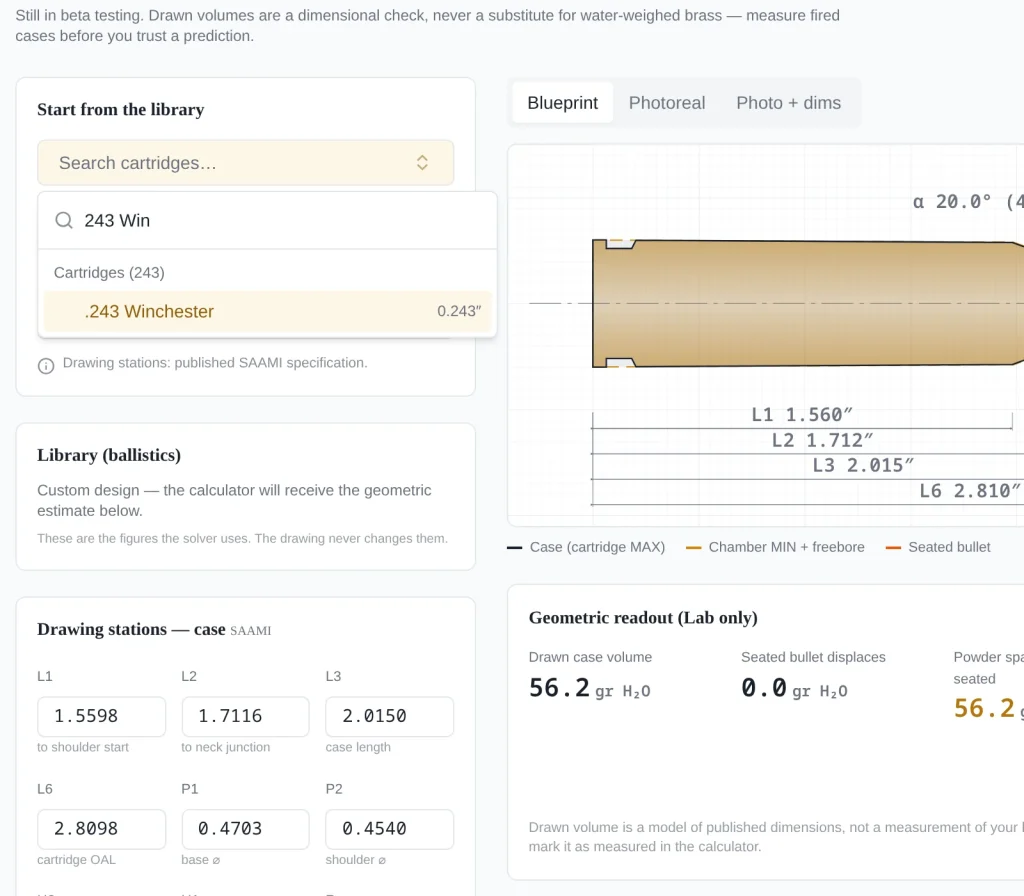
Published cases give your wildcat a known parent. The Cartridge Lab documentation describes the source cases as drawn from published SAAMI and CIP specifications. SAAMI and CIP both publish max cartridge and min chamber drawings, and those drawings let ammunition from one maker fit a chamber cut by another. CIP maintains its Tables of Dimensions of Cartridges and Chambers as the basis for proofing small arms.
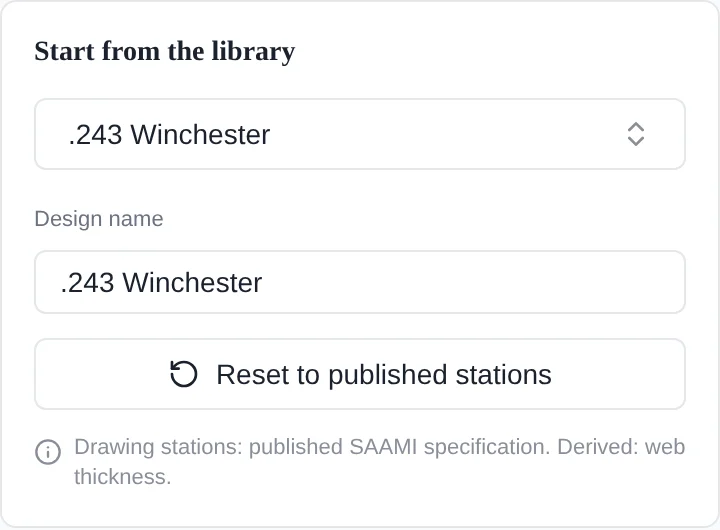
Starting from a spec case means every change you make traces back to a documented dimension. For a refresher on the terms, see the anatomy of a cartridge.
What Do Dimension Stations and the Case, Chamber, and Seated-Bullet Views Show?
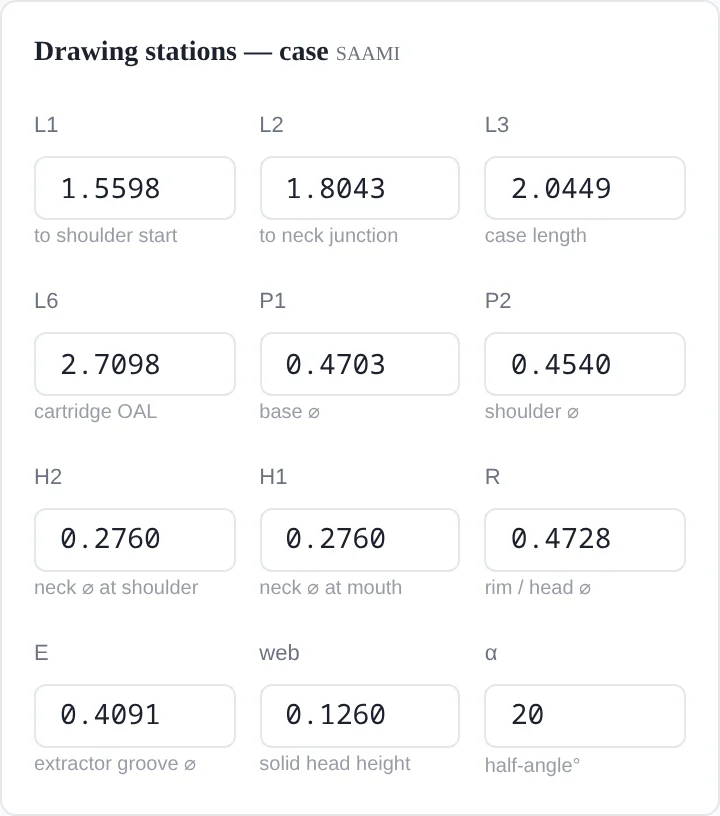
Dimension stations are the defined points along the profile: head, body, shoulder, neck, and mouth. Editing a station moves the geometry at that point. The three views show the same design from different angles:
- Case view: the brass profile and its stations.
- Chamber view: the design against chamber geometry, which helps with clearance questions.
- Seated-bullet view: how the projectile sits in the neck and how much of the case it takes up.
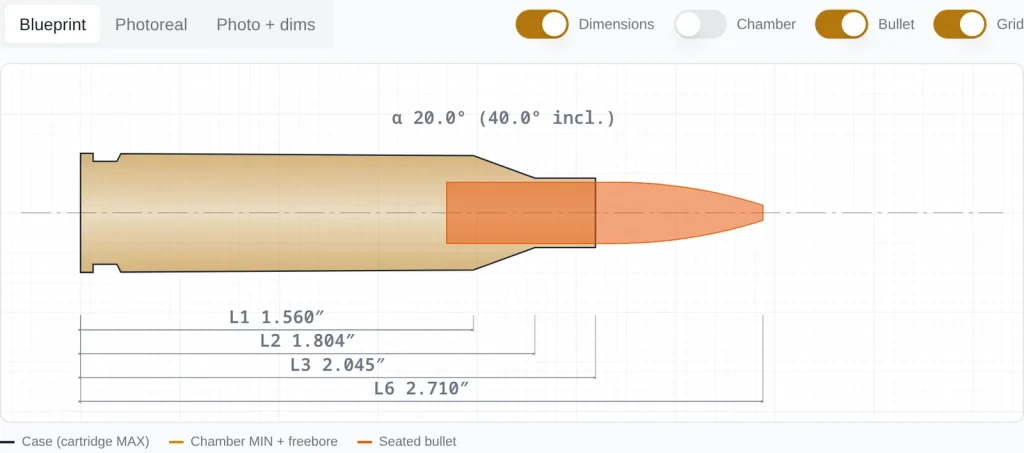
The seated-bullet view helps most when you are weighing long, high-BC bullets in a short-necked design.
How Does a Cartridge Design Move from Edit to Evaluation?
The workflow runs in a straight line. You edit a parent, read the estimated capacity change, and pass the design to ballistics. Each step answers a narrower question than the one before it.
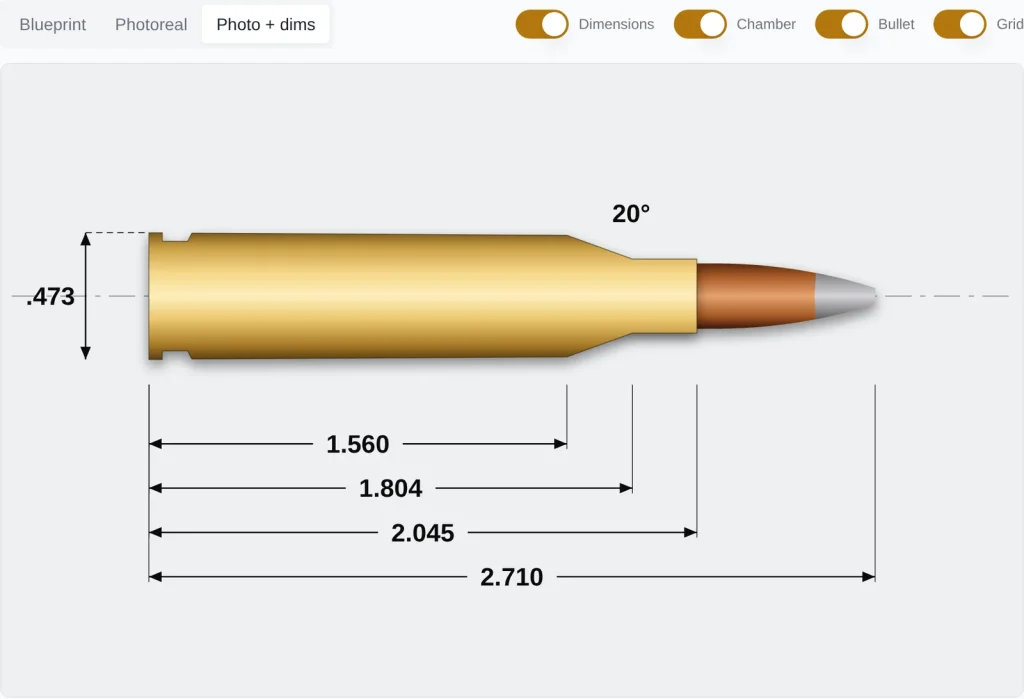
Editing a Parent Design to Explore a Wildcat Concept
Take a practical example. Suppose you want to see what a 30-degree improved shoulder does to a .243 Winchester parent. You would sharpen the shoulder angle, reduce body taper, and hold the headspace datum. That family is already familiar to reloading shooters, and our write-ups on the 243 Imp 30˚ cartridge and the 260 Imp 30˚ cartridge cover how those designs behave in real rifles. Our 22 Creedmoor guide walks through a necked-down parent in the same way.
Estimating Changes in Case Capacity and Powder Space
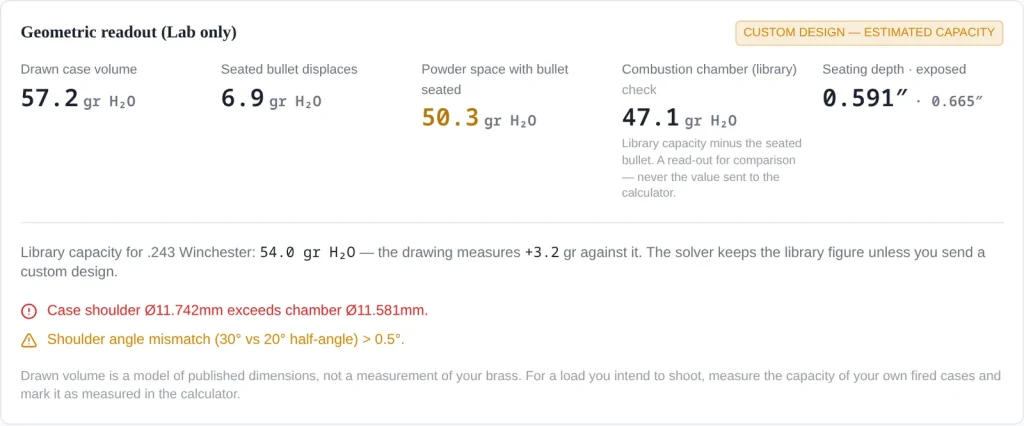
Once the edits are in, Cartridge Lab estimates capacity from the modeled internal geometry. Seating a bullet reduces usable powder space, and the model accounts for that. Treat the number as a comparison. Use it to see how Design B holds more or less than Design A. Don’t treat it as a figure you can load against. Our case-volume guide explains how to fill real cases with water to get a measured value.
Sending an Edited Design to the LoadForge Ballistics Calculator
According to the documentation, an edited design can be passed to the LoadForge ballistics calculator. There you can model velocity and trajectory questions against the new geometry. For quick downrange comparisons, our ballistic calculator is also available on LoadDevelopment.com.
Which Dimensions Are Calculated, and Which Must Be Measured?
External profile dimensions come from the spec and your edits. Capacity, wall thickness, and neck tension come from your actual brass. Everything the model calculates about the inside of the case is idealized.
Calculated Geometric Capacity vs. Measured Capacity in Real Brass
Geometric capacity assumes an idealized wall and web. Real brass varies by maker, by lot, and after fireforming, and those differences change internal volume. Measure water capacity on fired cases from your own chamber, then compare that figure to the estimate. Keep your brass consistent, too. Our guide to concentric cartridges covers the runout side of that work.
Why a Model Is Not Verified Load Data or a Pressure Guarantee
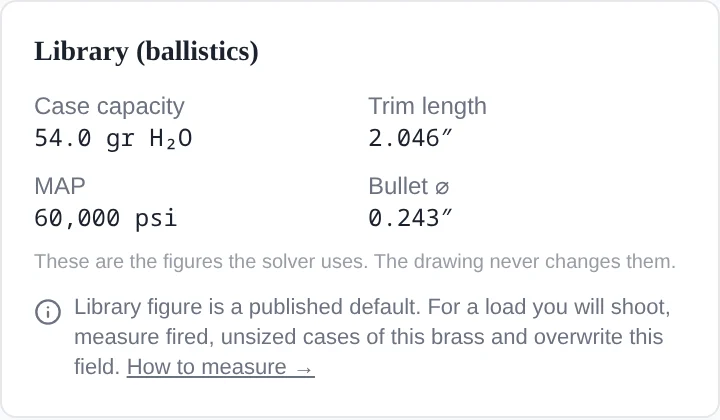
A geometry model has no data on your barrel, primer, powder lot, or throat. Pressure depends on all of them. Any charge work belongs in published manuals, starting below maximum and working up while you watch for pressure signs. Confirm velocities with a chronograph that is set up correctly.
How Do Design References and Other Tools Compare?
Each reference and each tool answers a different question. Drawings define standards, reamer prints define the cutting tool, and software helps you explore changes before any of it exists.
Cartridge Drawings vs. Chamber Drawings vs. Reamer Prints
- Cartridge drawing: the maximum ammunition envelope.
- Chamber drawing: the minimum chamber the ammunition must fit. SAAMI and CIP publish these alongside the cartridge drawings, and gage makers work from both prints to check whether ammunition conforms.
- Reamer print: the reamer maker’s drawing of the tool itself, including freebore and throat. This is what your gunsmith orders.
A Cartridge Lab model helps you explore ideas. A gunsmith cuts a chamber from a reamer print.
Cartridge Lab vs. NECO QuickDESIGN vs. GRT Cartridge Designer
QuickDESIGN modifies database cartridges or designs from scratch and prints SAAMI or CIP format drawings. It can also export to QuickLOAD. Gordon’s Reloading Tool includes its own Cartridge Designer. Check GRT’s documentation for its current feature set.
| Criteria | Cartridge Lab (LoadForge) | NECO QuickDESIGN | GRT Cartridge Designer |
|---|---|---|---|
| Start from existing cases | SAAMI/CIP source cases | Built-in database | See GRT docs |
| Design views | Case, chamber, seated bullet | Wire-frame to solid, chamber interference | See GRT docs |
| Capacity estimate | Yes | See NECO docs | See GRT docs |
| Ballistics handoff | LoadForge calculator | QuickLOAD/QuickTARGET | Within GRT |
| Access | Web app | Purchased software | Outdated Downloadable tool |
Using a Model to Ask Better Cartridge-Design Questions
Cartridge Lab is most useful at the stage where changes cost nothing. You can start from a SAAMI or CIP parent, edit its stations, check all three views, and compare estimated capacity between versions. Send the promising designs to the ballistics calculator. From there, measured brass, reamer prints, and careful range work take over, and a ladder test is a sound place to begin.
Read the LoadForge documentation first, then open your first parent design at LoadForge.app.
Frequently Asked Questions
Yes. Cartridge Lab is a module inside LoadForge, the ballistics and load development app from LoadDevelopment.com.
Yes. You can begin from published SAAMI and CIP source cases and edit from there, so every change has a documented baseline.
No. It calculates geometric capacity from modeled dimensions, just like GRT or QuickDesign did. Measure water capacity in your own fired brass to get the real figure, no matter what software you use.
Yes. Edited designs can be sent to the LoadForge ballistics calculator so you can model them downrange. Confirm the results with chronograph data.
No. A chamber is specified with a reamer print from your reamer maker and gunsmith. Safe loads come from published data, worked up carefully in your own rifle. Even the older software like QuickDesign or GRT only specify a case volume estimate based on theoretical measurements, and actual volume from your own fired brass can differ considerably.

AJ Deysel is a competitive rifle shooter in the PRS and NRL Hunter series, a lifelong hunter, and a recognized ballistics specialist whose load development expertise has been featured by industry leaders like Hornady. He is the founder and lead editor of LoadDevelopment.com. Read more about AJ or view our Editorial & Testing Guidelines.